> ## Documentation Index
> Fetch the complete documentation index at: https://docs.gradingpal.com/llms.txt
> Use this file to discover all available pages before exploring further.
# View Assignments
> See all your assignments organized by status and class
See all your assignments organized by status and class.
***
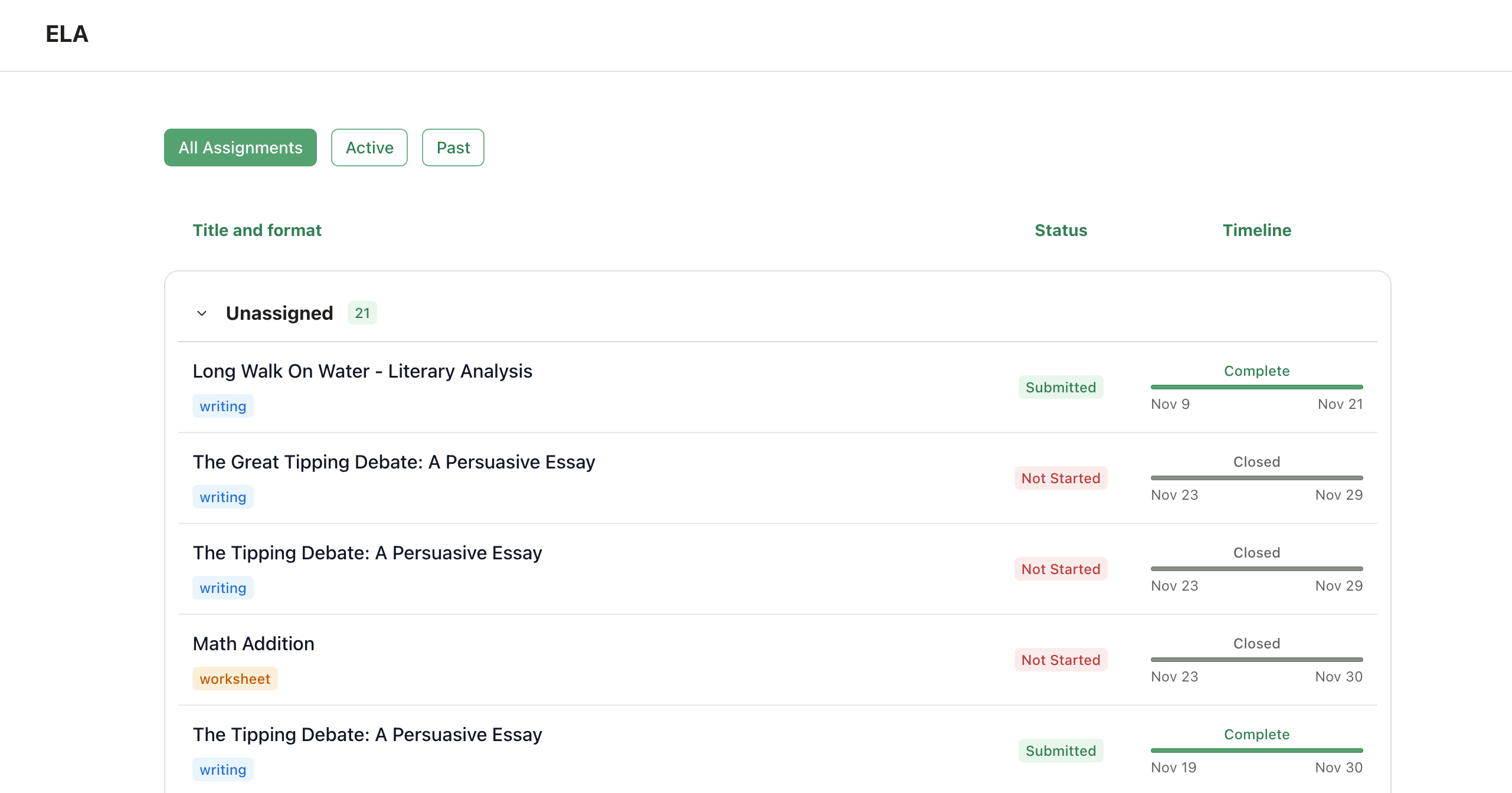
## Accessing Your Assignments
Log in to your GradingPal account
Click on a class from your dashboard
View assignments in the **Active** or **Past** tabs
 ***
## Assignment Categories
### Active Assignments
An assignment appears in the **Active** tab when:
* The due date hasn't passed yet, **OR**
* Late submissions are allowed and the late deadline hasn't passed
* **AND** your submission hasn't been graded yet
Even if you've already submitted, the assignment stays active until it's graded—allowing you to resubmit if permitted.
### Past Assignments
An assignment moves to the **Past** tab when:
* The submission deadline has passed (including any late submission window), **OR**
* Your submission has been graded and returned
***
## Assignment Status Indicators
| Status | Meaning |
| --------------- | --------------------------------- |
| **Not started** | You haven't turned in work yet |
| **Submitted** | Your work is awaiting grading |
| **Graded** | Feedback and scores are available |
| **Late** | Submitted after the due date |
***
## Next Steps
Learn how to turn in assignments
Check your grades and comments
***
## Assignment Categories
### Active Assignments
An assignment appears in the **Active** tab when:
* The due date hasn't passed yet, **OR**
* Late submissions are allowed and the late deadline hasn't passed
* **AND** your submission hasn't been graded yet
Even if you've already submitted, the assignment stays active until it's graded—allowing you to resubmit if permitted.
### Past Assignments
An assignment moves to the **Past** tab when:
* The submission deadline has passed (including any late submission window), **OR**
* Your submission has been graded and returned
***
## Assignment Status Indicators
| Status | Meaning |
| --------------- | --------------------------------- |
| **Not started** | You haven't turned in work yet |
| **Submitted** | Your work is awaiting grading |
| **Graded** | Feedback and scores are available |
| **Late** | Submitted after the due date |
***
## Next Steps
Learn how to turn in assignments
Check your grades and comments