> ## Documentation Index
> Fetch the complete documentation index at: https://docs.gradingpal.com/llms.txt
> Use this file to discover all available pages before exploring further.
# What is GradingPal?
> AI-powered grading assistant that saves teachers time while providing students with detailed, personalized feedback
GradingPal is an AI-powered grading assistant that helps teachers save time on grading while providing students with detailed, personalized feedback.
## How It Works
Define the criteria you want to assess, or let AI help generate one based on your assignment.
Support for essays, worksheets, quizzes, PDFs, images, and even video/audio submissions.
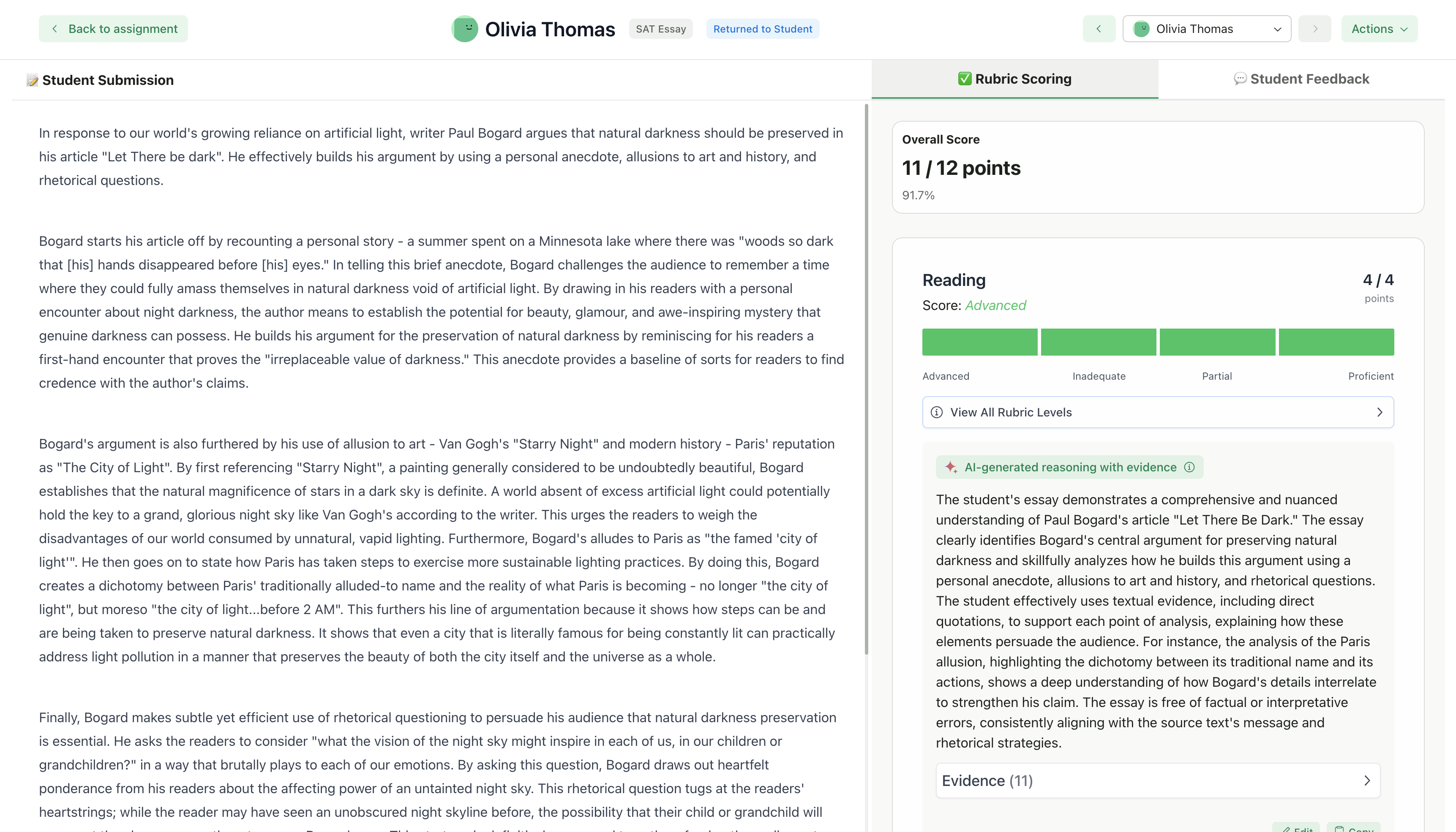
Each submission is scored criterion-by-criterion based on your standards.
Approve, adjust, or add to the AI-generated scores and feedback before returning to students.
## Key Features
### Rubric-Based Grading
GradingPal scores every submission against your custom rubric. You define the criteria, point values, and expectations—the AI applies them consistently across all submissions.
### Personalized Feedback
Students receive specific, actionable feedback tied to each rubric criterion. The feedback highlights strengths and areas for improvement based on their actual work.
### Multiple Submission Types
Grade a variety of student work:
| Type | Examples |
| ----------------------------- | ------------------------------------------- |
| **Written work** | Essays, reports, short answers |
| **Worksheets & problem sets** | Math, science, fill-in-the-blank |
| **Quizzes** | Multiple choice, short answer, mixed format |
| **Handwritten work** | Scanned or photographed assignments |
| **Video/audio** | Presentations, speeches, oral exams |
### Class Management
Organize your students into classes, create folders for assignments, and track submissions all in one place.
Organize students and assignments
Multiple enrollment options
### LMS Integration
Connect your Google Classroom to import classes, sync rosters, and streamline your workflow.
Import classes, sync assignments, and push grades back automatically
## Who Is GradingPal For?
GradingPal is built for **K-12 teachers and higher education instructors** who want to:
* Reduce time spent on repetitive grading tasks
* Provide more detailed feedback to every student
* Maintain consistent grading standards across submissions
* Focus more time on teaching and less on paperwork
## What Makes GradingPal Different?
The AI grades based on criteria you define, not a generic algorithm
You always review and approve grades before students see them
Designed around real classroom workflows, not retrofitted from other tools
## Getting Started
Ready to save time on grading? Here's how to get started:
[Create a class manually](/teacher/classes-and-students/create-a-new-class) or [import from Google Classroom](/teacher/lms-integrations/google-classroom)
[Choose your assignment type](/teacher/grade-your-assignment/select-assignment-type) and create your rubric
[Upload student work](/teacher/grade-your-assignment/upload-student-work) for AI grading
[Review scores and feedback](/teacher/grades-and-feedback/review-ai-scores-feedback) before returning
[Return submissions](/teacher/grades-and-feedback/return-submissions-feedback) to students
## Related Articles
* [3 Ways to Use GradingPal](/teacher/overview/3-ways-to-use-gradingpal)
* [Create a New Class](/teacher/classes-and-students/create-a-new-class)
* [Google Classroom Integration](/teacher/lms-integrations/google-classroom)
* [Select Assignment Type](/teacher/grade-your-assignment/select-assignment-type)
 ### Personalized Feedback
Students receive specific, actionable feedback tied to each rubric criterion. The feedback highlights strengths and areas for improvement based on their actual work.
### Multiple Submission Types
Grade a variety of student work:
| Type | Examples |
| ----------------------------- | ------------------------------------------- |
| **Written work** | Essays, reports, short answers |
| **Worksheets & problem sets** | Math, science, fill-in-the-blank |
| **Quizzes** | Multiple choice, short answer, mixed format |
| **Handwritten work** | Scanned or photographed assignments |
| **Video/audio** | Presentations, speeches, oral exams |
### Class Management
Organize your students into classes, create folders for assignments, and track submissions all in one place.
### Personalized Feedback
Students receive specific, actionable feedback tied to each rubric criterion. The feedback highlights strengths and areas for improvement based on their actual work.
### Multiple Submission Types
Grade a variety of student work:
| Type | Examples |
| ----------------------------- | ------------------------------------------- |
| **Written work** | Essays, reports, short answers |
| **Worksheets & problem sets** | Math, science, fill-in-the-blank |
| **Quizzes** | Multiple choice, short answer, mixed format |
| **Handwritten work** | Scanned or photographed assignments |
| **Video/audio** | Presentations, speeches, oral exams |
### Class Management
Organize your students into classes, create folders for assignments, and track submissions all in one place.