

When to Duplicate
Teaching Multiple Sections
Create once, duplicate to other classes
Creating Similar Assignments
Duplicate and modify as needed
How to Duplicate
1
Go to Assignment
Go to the assignment you want to duplicate
2
Click Actions
Click Actions in the top right
3
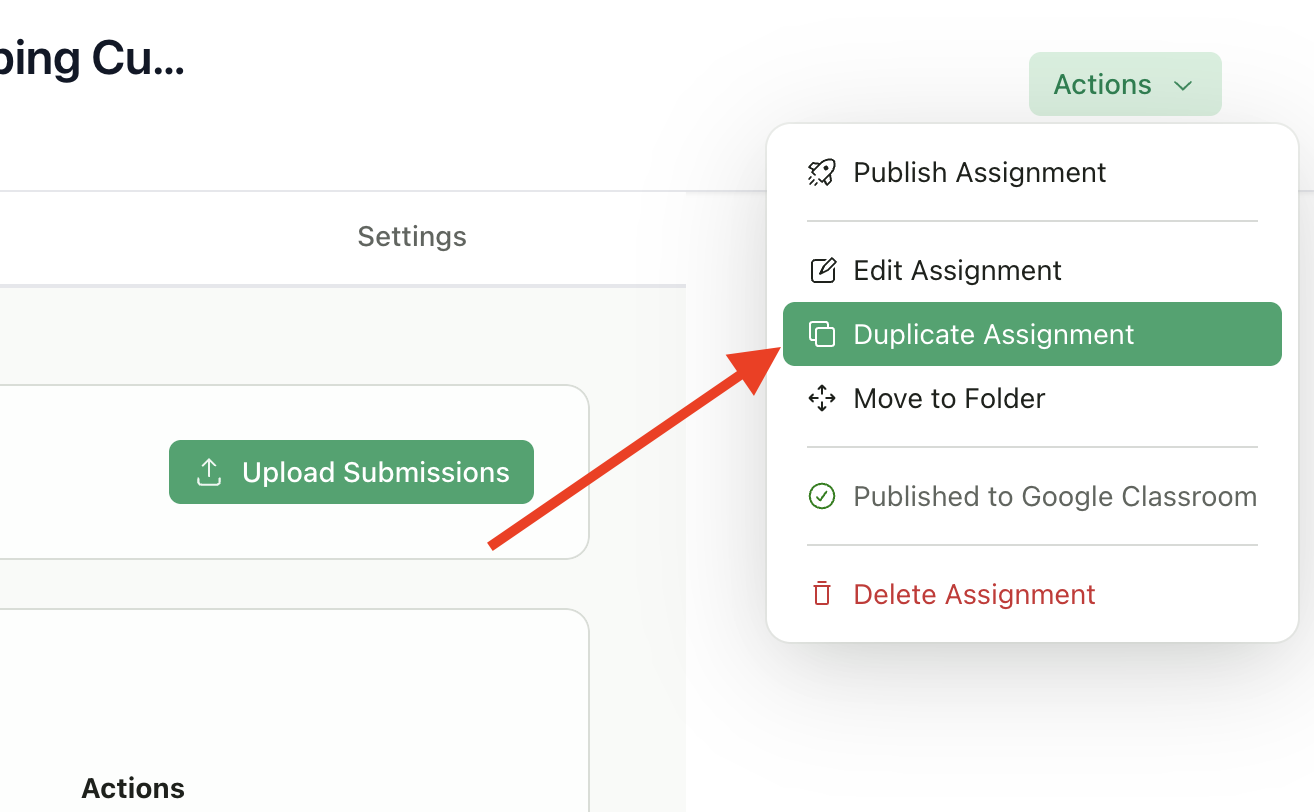
Select Duplicate
Select Duplicate Assignment
4
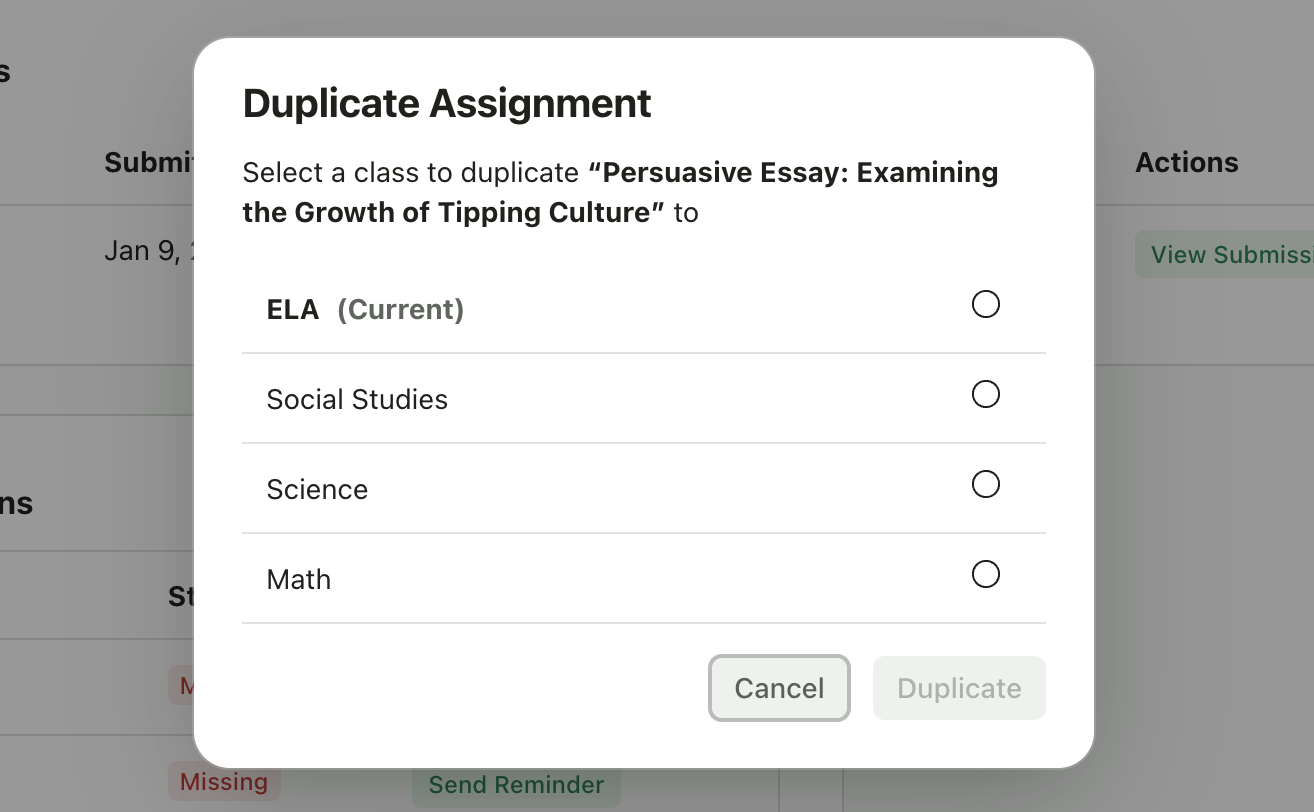
Choose Destination
Choose the destination class from the list
5
Confirm
Click Duplicate
Selecting a Destination Class
The dialog shows all your classes. The current class appears first and is labeled “(Current)”. You can duplicate to:- The same class - Creates a copy in the current class
- A different class - Creates the assignment in another class you teach
After Duplicating
Once duplication completes:1
Redirected to New Assignment
You’re automatically redirected to the new assignment
2
Review Title
Review and adjust the title if needed (e.g., add section number)
3
Review Dates
Review the dates - they’re copied from the original, so update if needed for your new class
4
Publish to Google Classroom
Publish to Google Classroom separately if needed
5
Upload Submissions
Upload submissions when ready
What Gets Copied
Limitations
- You cannot duplicate an assignment to a class you don’t own
- Google Classroom connections are not duplicated (you’ll need to publish to GC separately if needed)
- Submissions and grades are never copied
Tips
Update the title
Update the title
Add a section number or semester to distinguish copies (e.g., “Essay 1 - Period 2”)
Review dates
Review dates
Dates are copied from the original. If the original due date has passed, update the dates for your new class schedule.
Verify rubric
Verify rubric
If you’ve made improvements to your rubric, the duplicate will have the improved version.
Google Classroom
Google Classroom
You’ll need to publish to Google Classroom separately for the new class if needed.