

How It Works
1
Create Your Rubric
Define the criteria you want to assess, or let AI help generate one based on your assignment.
2
Upload Student Work
Support for essays, worksheets, quizzes, PDFs, images, and even video/audio submissions.
3
AI Grades Against Your Rubric
Each submission is scored criterion-by-criterion based on your standards.
4
Review and Return
Approve, adjust, or add to the AI-generated scores and feedback before returning to students.
Key Features
Rubric-Based Grading
GradingPal scores every submission against your custom rubric. You define the criteria, point values, and expectations—the AI applies them consistently across all submissions.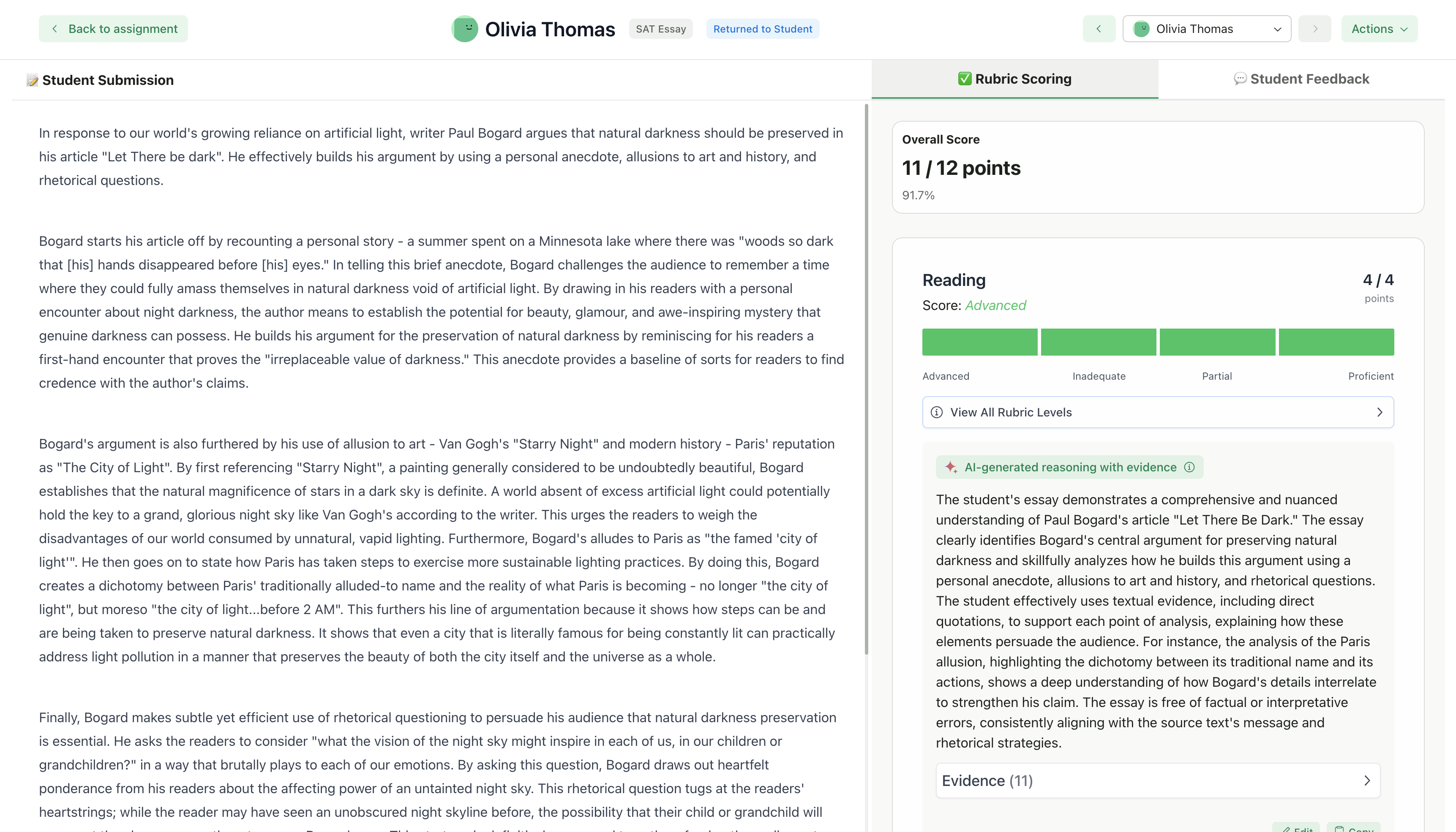
Personalized Feedback
Students receive specific, actionable feedback tied to each rubric criterion. The feedback highlights strengths and areas for improvement based on their actual work.Multiple Submission Types
Grade a variety of student work:Class Management
Organize your students into classes, create folders for assignments, and track submissions all in one place.Create Classes
Organize students and assignments
Manage Students
Multiple enrollment options
LMS Integration
Connect your Google Classroom to import classes, sync rosters, and streamline your workflow.Google Classroom Integration
Import classes, sync assignments, and push grades back automatically
Who Is GradingPal For?
GradingPal is built for K-12 teachers and higher education instructors who want to:- Reduce time spent on repetitive grading tasks
- Provide more detailed feedback to every student
- Maintain consistent grading standards across submissions
- Focus more time on teaching and less on paperwork
What Makes GradingPal Different?
Your Rubric, Your Standards
The AI grades based on criteria you define, not a generic algorithm
Human in the Loop
You always review and approve grades before students see them
Built for Educators
Designed around real classroom workflows, not retrofitted from other tools
Getting Started
Ready to save time on grading? Here’s how to get started:1
Create or Import a Class
2
Set Up Your First Assignment
Choose your assignment type and create your rubric
3
Upload Student Submissions
Upload student work for AI grading
4
Review AI-Generated Scores
Review scores and feedback before returning
5
Return Graded Work
Return submissions to students